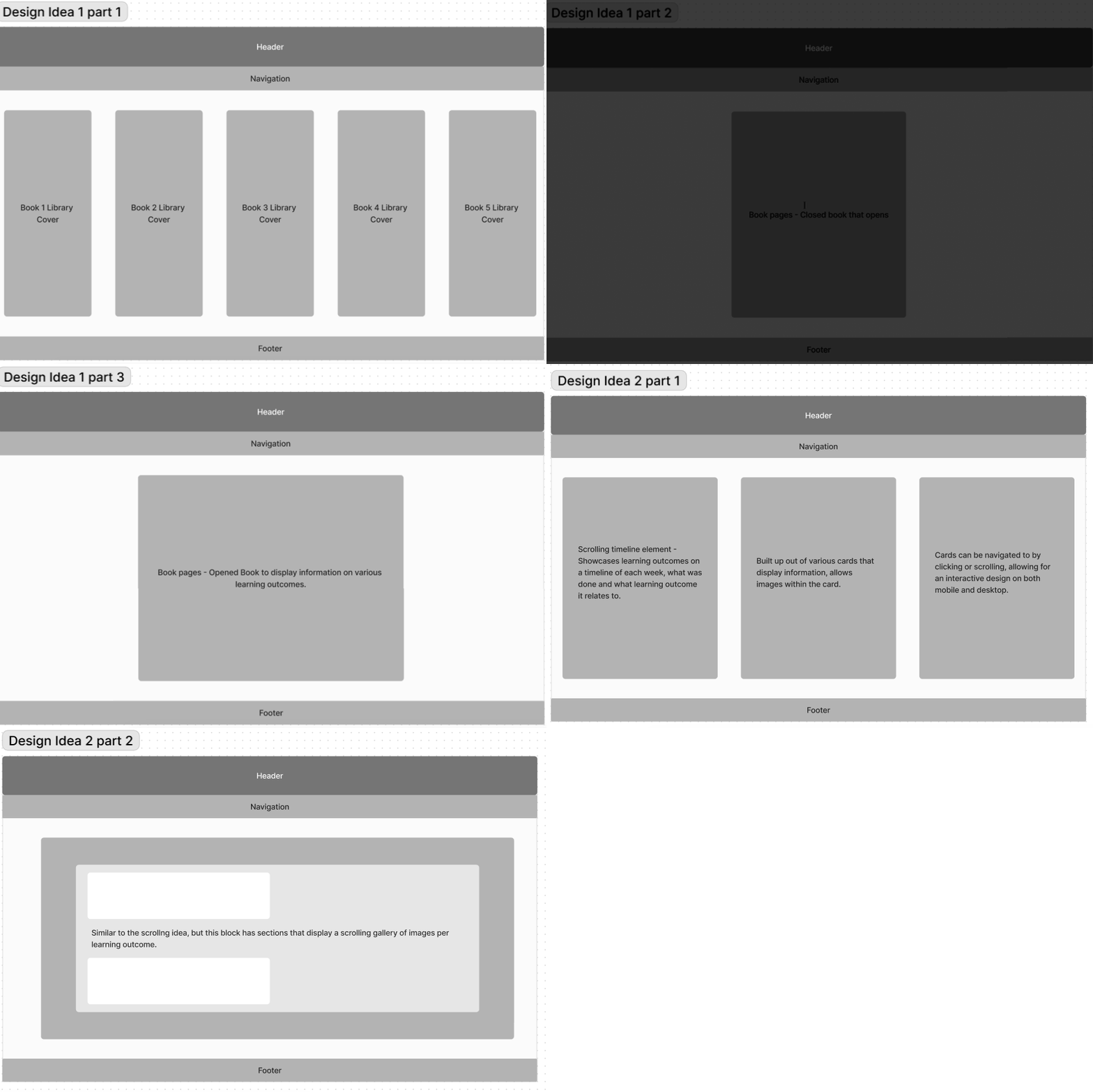
During the creation of my portfolio prototype, I had two design ideas in mind. One of these ideas involved a bookshelf, with books that could be opened or pulled from a shelf. This seemed like quite a challenge to create in HTML and CSS, but I was determined to bring my ideas to life. The exact pages I consulted for these ideas can be found on the links page.
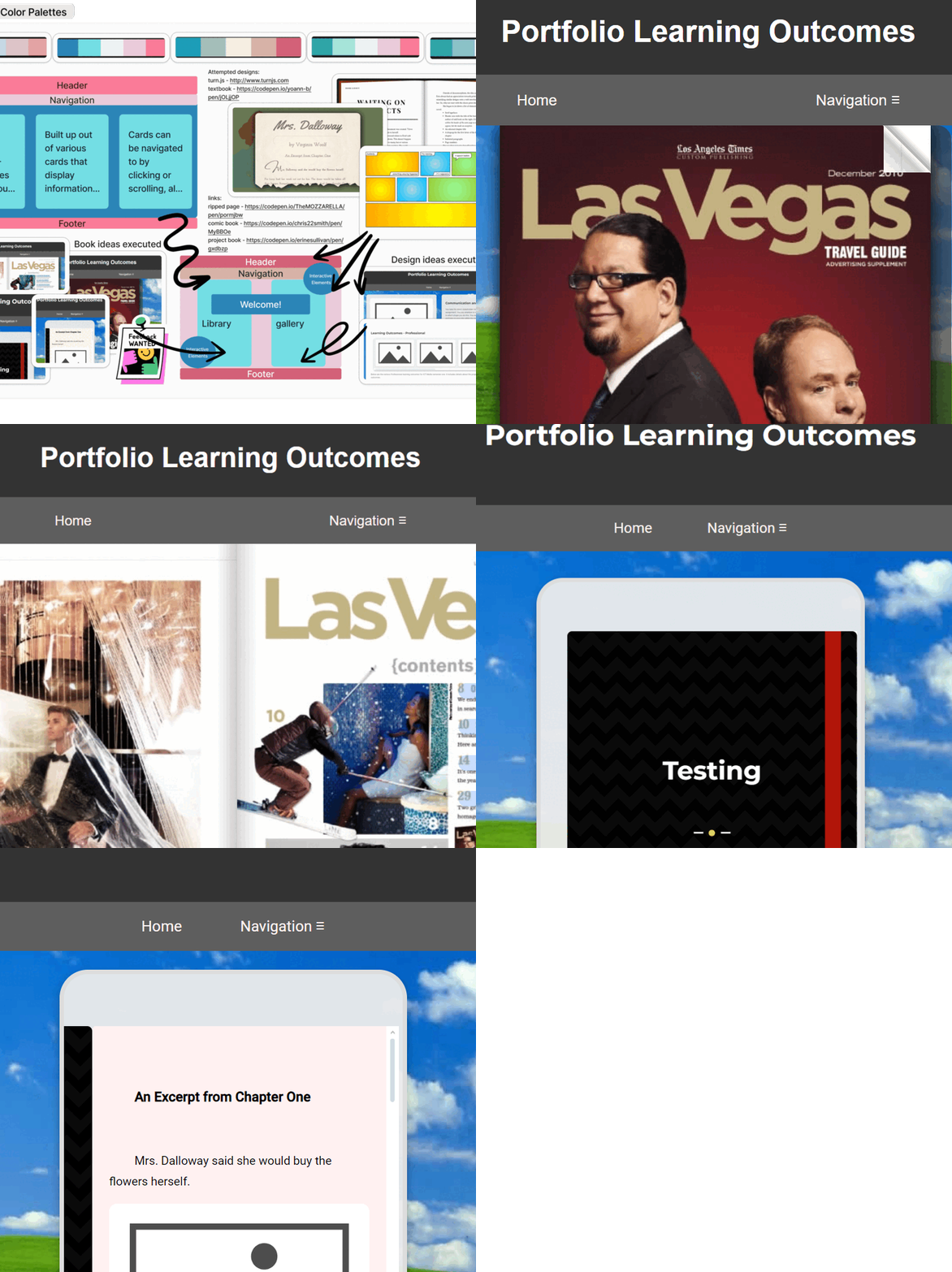
As seen in the lightbox images(cycling gif) above, I went through various designs. I found a few nice templates on creating webpage books, as well as an entire API that would recreate my idea perfectly. This API makes use of JQuery, a javascript library, and although it seemed rather advanced- I still attempted to implement it in my website design.
Furthermore, I had also experimented with other designs, such as an open book that had a more note-taking style, or designs that were similar to books, such as ripped pages or comic book lay-outs. Ultimately, I only tested a few of these designs, and experimented with implementing them into the "shell" I had created for my website.
Why didn't I use them?
In my original design, I wanted a book that could open up and display content. Certain designs (as seen in various links from designs I've explored) such as the already-opened notebook or the comic book and ripped pages simply didn't fit the idea I had in mind. There was one design that fit what I wanted- the Turn.js API. Using the provided code, I was able to implement an example book into my website.
After implementing this example book, however, I realized that this sort of coding (JQuery specifically) was a bit too advanced for me. As much as I enjoyed the design, I realized it would take a lot more knowledge of coding than I was currently capable of working with.
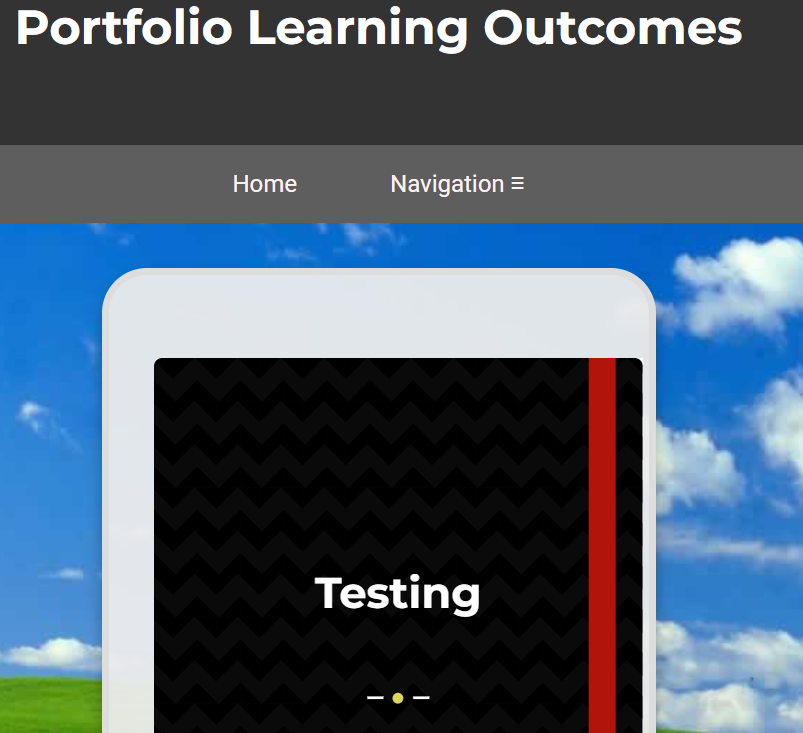
To remedy this, I found another design that used simple HTML and CSS. It creates a book cover that transforms to "fold over" as if you're flipping over the cover of a book. Is is the design that is currently being used on this page. Read more about this in "Current Design".
Current Design
Problems & Experiences
Current Design
The current book design (as seen on this page) implements simple HTML and CSS elements to create a book cover that flips open to reveal the inner container, which showcases text and images.
It is, of course, a far cry from what I actually wanted, but I was satisfied to have found a design I could edit, customize and actually learn from.
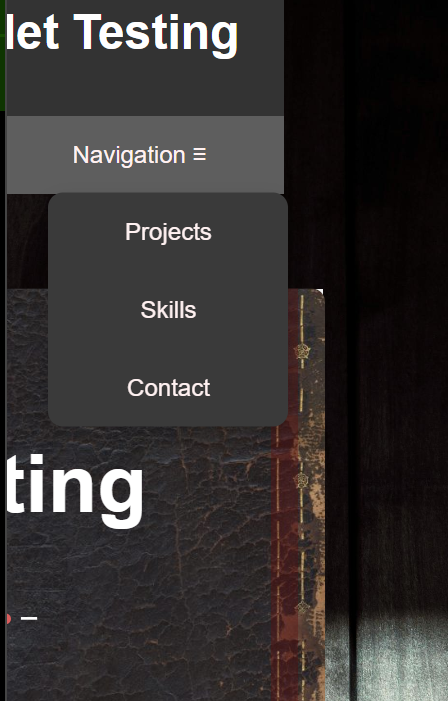
I wanted to create a design where 2-3 books were displayed next to each other on a page. I wanted this design to reflect a bookshelf- and I wanted the books to look more like actual books. Eventually, I ended up doing this by making use of a grid to align the books on, while also allowing the books to flex and adjust to various view widths.
In comparison the picture above, I've changed the design of the books to be more like what I wished. I found a free stock image of an aged book cover, as well as implemented a wooden background to give a "bookshelf" like feel to the page.
Problems
Unfortunately, the sizing of each element causes a singular problem on smaller view widths. The header and footer do not stretch the entire page. This problem arises due to the gaps between the grid items, as well as the padding between the books. I've attempted to remedy this in various ways, but ultimately- every "solution" came with the unfortunate side effect that the books no longer would flex to the page, and instead stack on top of each other on smaller view widths.
I've asked for help with this problem, and although the advice I received (which would be to implement a media query) definitely would be something I could try implementing, I was told to focus on the other page designs within my project. Overall, I think this design process has helped me figure out my place within Media Design, and what my current capabilities within coding webpages are.
Still, I don't think my experimentation and research within this design was in vain. I've learned a lot from my experiences working with these various lay-outs, and it has definitely helped improve my skills. This design in and of itself checks off various learning outcomes, such as Iterative Process, Interactive Prototypes, Exploratory Research and Trends and Development.